 |
|
|
|
|
|
|
|
 |
|
|
|
|
|
|
|
|
|
|
|
|
|
|
|
|
|
|
|
|
|
|
|
|
|
|
|
|
|
|
|
|
|
|
|
|
|
the library |
|||||||||||||
|
|||||||||||||
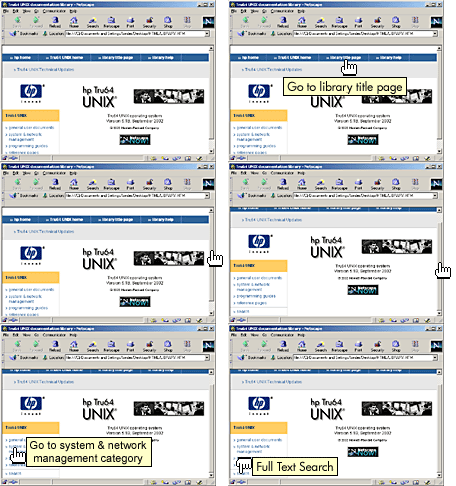 |
This library is organized into categories. Each category is assigned a different color. Some documents appear in more than one category, and each document is always marked by a bullet that matches the color of the document's "home" category. |
||||||||||||
|
|||||||||||||
|
|||||||||||||
|
|||||||||||||
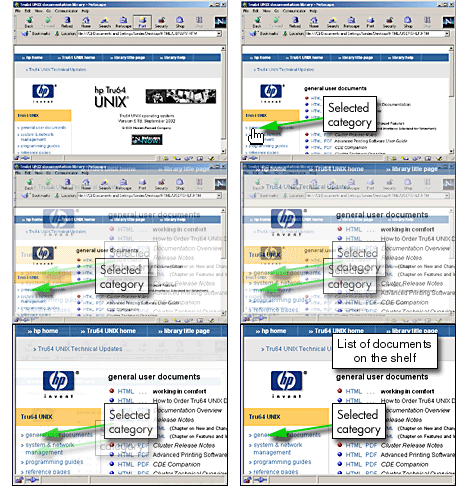
Each of the library's category lists appears in a frame on the right side of the library window, and its name is highlighted in the left frame. Here, the general user documents list is displayed. The quick links to this help information and to the main HP Web site appear on all of the category pages as well as on the main page. |
 |
|
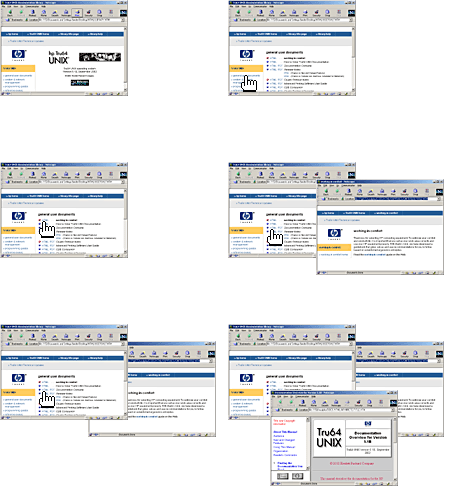 |
The library opens each new document in its own window. You can have as many documents open together as you like. Here, starting from the library title page, the user opens the page titled working in comfort and then the Documentation Overview. |
|

 Tru64 UNIX Technical Updates


